
“What did I want to ask at my appointment?” “Where did I save my latest test results?” And a little later: “When did the baby last feed?” “How long did that nap last?”
During pregnancy and after your baby arrives, there is a lot to remember. Phone notes, calendars and photos of documents can help, but the information you need often ends up scattered across several places.
MyPreg and MyPregBaby bring those details together in two apps with different purposes. MyPreg supports you during pregnancy with weekly information and tools for organising your personal records. MyPregBaby helps after birth, with records for feeding, sleep, diaper changes, measurements and your child’s appointments.
Both apps are available in English, Greek and Polish. Neither requires an app account, and neither displays advertising. Here is how they can fit into your everyday life.
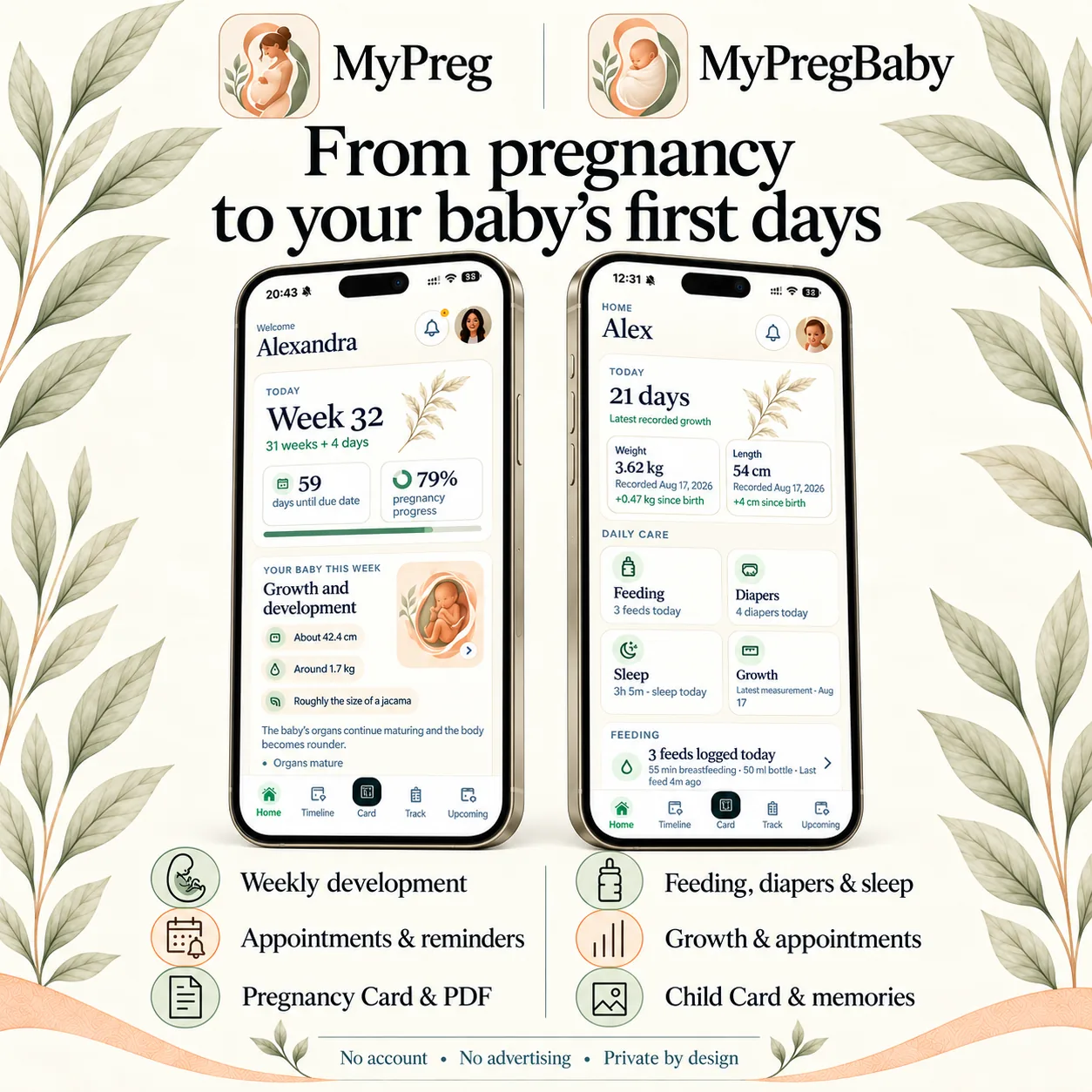
MyPreg: information and organisation throughout pregnancy
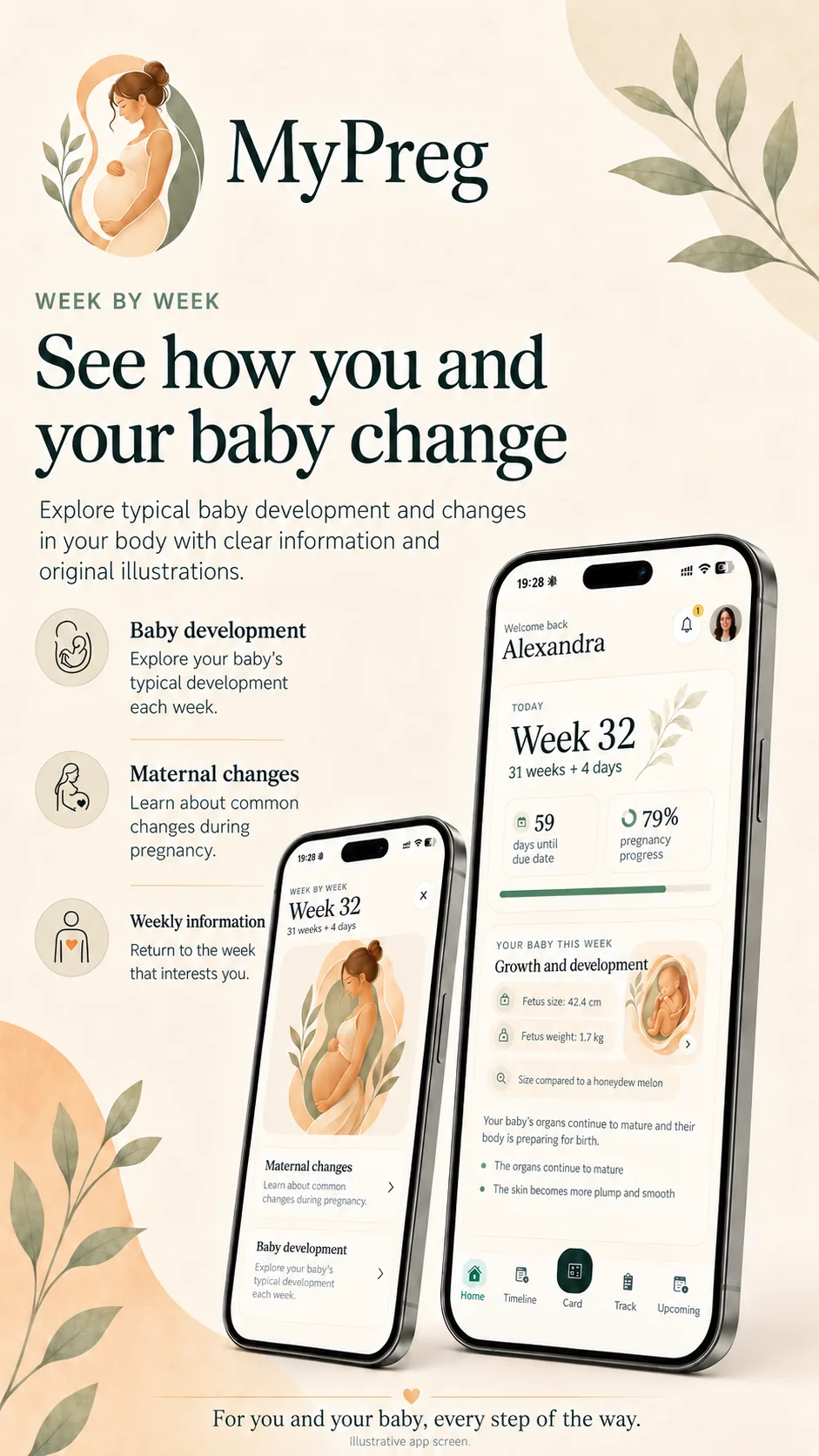
Each week of pregnancy brings changes and new questions. MyPreg helps you explore typical baby development and changes in your body, while keeping appointments, measurements, test results and notes together.
Discover what changes each week
The home screen shows your current pregnancy week, gestational age in weeks and days, and the time remaining until your estimated due date.
From there, you can read about typical baby development and maternal changes for that week. Original illustrations and reference information about your baby’s size and weight make the weekly information easier to picture. You can also browse other weeks and return to anything you want to read again.
If something raises a question, you can note it down for your next appointment. The content describes typical pregnancy development; your doctor or midwife remains the person to ask about your own pregnancy.
Record measurements, symptoms and observations
When you look back at a measurement, knowing when it was taken matters too. MyPreg lets you record weight, blood pressure, symptoms and personal observations so you can find them together when you need them.
You can also note the medications and supplements you take and set reminders based on the instructions you have received. This gives you a practical way to keep track of your prescribed routine without relying on memory alone.
Find your results and questions before an appointment
A question can occur to you at any time. Writing it down when it comes to mind makes it easier to remember when you are at your appointment.
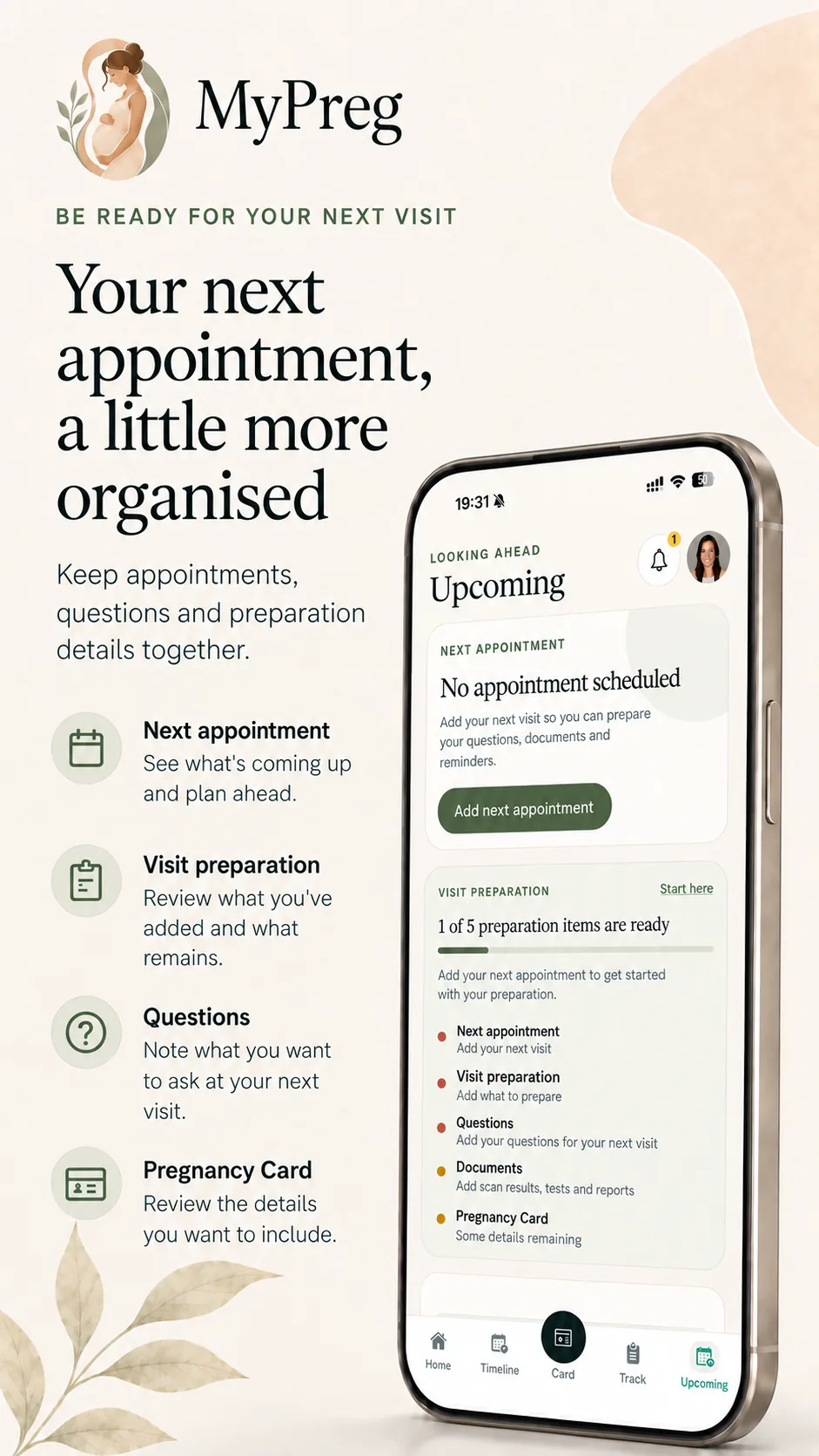
In MyPreg, you can add appointments, note questions and save documents such as test results. Before a visit, your questions and files are available in the same app, rather than spread across photos, messages and separate notes.
Your key pregnancy details in one card
The Pregnancy Card brings together selected pregnancy details, care contacts and other personal information you have added. It gives you a quick reference without having to open each record separately.
When needed, you can export the summary as a PDF and share it. The card is your personal summary, designed to complement your official medical records rather than replace them.
Photos, memories and getting ready for your baby
MyPreg is useful for more than appointments and practical tasks. You can add pregnancy photos to the album and use the baby wishlist to note things you want to buy or prepare before the birth.
That means your next appointment details and the photos from this special time can be found in the same app.
MyPregBaby: practical support for the first days with your baby
Life changes after birth. Feeds, naps and diaper changes repeat throughout the day and night, and it is not always easy to remember the times and details.
MyPregBaby helps you record them and look back through your history. You can begin with whatever is most useful to you, such as feeding or sleep, and use the other features when you need them.
Feeding: when your baby fed and what you recorded
For breastfeeding, you can start a timer and record changes of side within the same session. If you prefer, you can add the duration manually after the feed. For bottle feeds, you can record the amount and contents, such as breast milk or formula.
When you wonder when the last feed happened, you can check the history you have entered. You can also set a next-feed reminder by choosing a time or countdown duration yourself. The app does not recommend a feeding schedule; it reminds you of the time you have chosen.
Sleep: times and durations in one history
You can record naps and night sleep with a timer or add the times later. At the end of the day, you can look back at the entries instead of trying to remember when your baby slept and for how long.
On a compatible iPhone, active feeding and sleep timers also appear as Live Activities, so you can see the elapsed time without reopening the app each time.
Diaper changes and baths: simple records when you need them
For each diaper change, you can note whether the diaper was wet, dirty or both, and add an optional observation. You can also record your child’s baths.
If these details are useful to you, you can find them together rather than trying to recall them or jotting them down in different places.
Growth: a history of your child’s measurements
Weight, length and head circumference can be recorded with the date of each measurement. The history and charts let you review the values you have entered and check earlier measurements before an appointment with your child’s doctor.
The app displays your own records. Your child’s healthcare professional assesses their growth; MyPregBaby does not.
A quick look at today
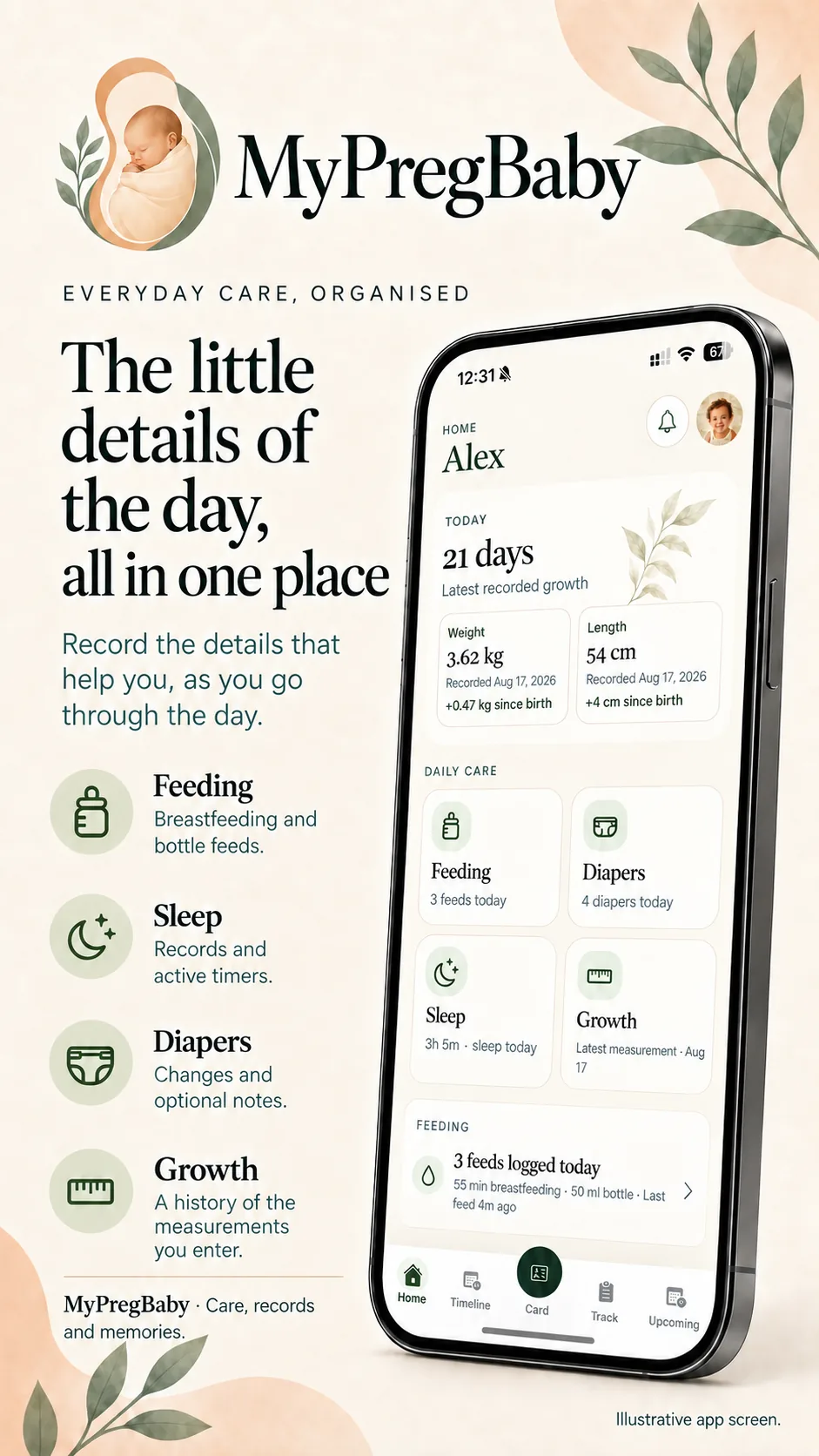
The home screen shows your child’s age, recent measurements and records from the day. It also gives you quick access to feeding, sleep, diaper changes and growth.
This is especially useful when you want to add an entry or check something quickly between the other tasks involved in caring for your baby.
Remember what you want to discuss at your baby’s appointment
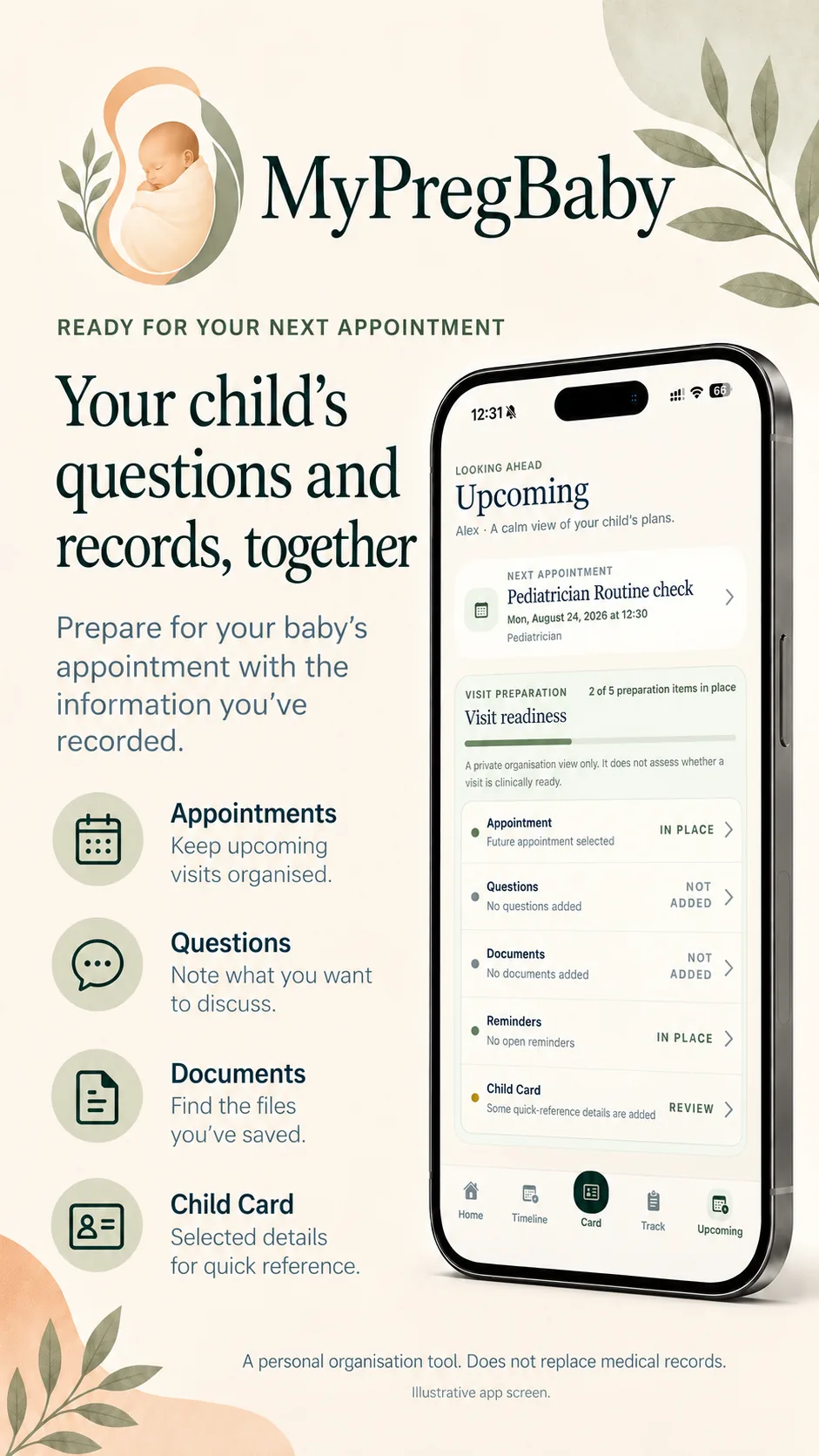
MyPregBaby lets you add your child’s appointments, note your questions and save related documents. Before the visit, you can review your questions and look back at records from the previous days.
There are also sections for vaccination records, symptom observations, medications and supplements. You enter the information and reminders based on the instructions you have received. The app does not recommend vaccinations, verify doses or assess symptoms.
The Child Card brings together selected birth details, parent and care contacts, and recent measurements. If you want to share a summary, you can choose which details to include and send it as text or a PDF.
The photos and stories you want to remember
A first outing, a funny expression or a lovely moment at home deserves to be remembered too. In Photos & Memories, you can add photos and short stories, while the Timeline presents memories and selected events in date order.
Documents and the child wishlist round out the organisation tools. As your child grows and your needs change, you can continue using the features that help you.
Privacy and sharing when you need it
Your pregnancy information in MyPreg is stored on your device. In MyPregBaby, records and selected files are also stored locally by default. Neither app requires you to create an app account, and neither includes advertising.
In MyPregBaby, you can export a backup and restore your data from it when needed. The file may contain personal information and photos of your child, so it is important to store it somewhere safe.
If you share your baby’s care with another parent or someone else, you can optionally enable private iCloud sharing. You invite the person you choose to collaborate on the selected child’s records, photos and documents. Active timers and notifications remain on each person’s device.
MyPreg and MyPregBaby are separate apps. They do not automatically transfer data from one to the other.
Try the app that fits your life today
If you are pregnant and want to explore your current week, find your test results easily and remember questions for your next appointment, MyPreg is a practical option. It is available for iPhone on the App Store and for Android on Google Play.
If your baby has already arrived and you want to record feeds, sleep, measurements and appointments, you can try MyPregBaby, available for iPhone on the App Store.
Both apps support English, Greek and Polish and offer a 14-day free trial. You can then unlock permanent access with a one-time purchase, with no subscription. The price is shown in the relevant store before you buy.
Start with something simple: add your next appointment or record your baby’s most recent feed. Trying the app in your own routine will help you see which features make your day easier.
You can find more information on the MyPreg and MyPregBaby feature pages.
The apps provide general information and personal organisation tools. They do not provide diagnosis, treatment or personalised medical advice, and they do not replace care from a qualified healthcare professional. The graphics include illustrative representations of the apps.